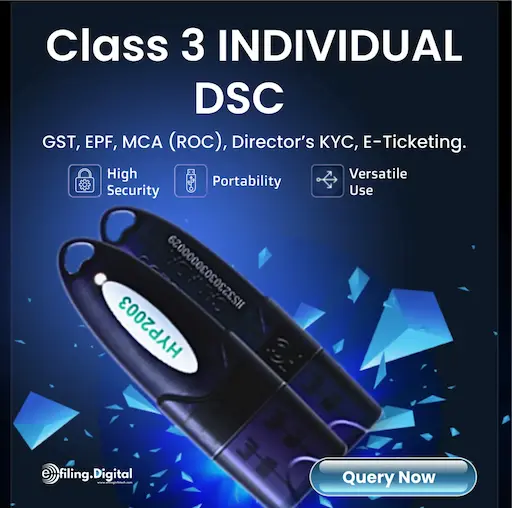
The HYP2003 USB token is widely used for storing Digital Signature Certificates (DSC) required for secure authentication on government and private portals such as GST, Income Tax, MCA, and eTender platforms.
To ensure proper functioning of the token, installing the correct HYP2003 driver on your Windows system is mandatory. This guide provides a direct download reference along with a clear step-by-step installation process.
Download HYP2003 Driver for Windows
You can download the latest HYP2003 token driver for Windows from the link below:
After downloading, proceed with the installation steps mentioned below.
System Compatibility
The HYP2003 driver supports the following Windows versions:
- Windows XP
- Windows Vista
- Windows 7
- Windows 8 / 8.1
- Windows 10
- Windows 11
✔ Supports both 32-bit and 64-bit systems
How to Install HYP2003 Driver on Windows
Follow these steps carefully to install the driver:
Step 1: Extract the Downloaded File
- Locate the downloaded ZIP file
- Extract it using WinRAR or built-in extractor
- Open the folder: HyperPKI_HYP2003_Setup
Step 2: Run Installer as Administrator
- Right-click on the setup file
- Select “Run as Administrator”
Step 3: Start Installation
- Click Next on the setup screen
- Accept default settings or proceed as required
Step 4: Choose Installation Location
- Select the destination folder where the driver will be installed
- Click Next
Step 5: Select CSP Type
- Choose Private CSP under CSP Type
- Click Install
Step 6: Complete Installation
- Wait for the installation to finish
- Restart your system (recommended)
- Insert your HYP2003 USB token to verify detection
Common Issues and Troubleshooting
Token Not Detected
- Reinstall the driver properly
- Try a different USB port
- Check Device Manager for errors
DSC Not Showing
- Install emSigner utility
- Use updated browser (Chrome / Edge)
- Ensure token drivers are correctly installed
Installation Error
- Disable antivirus temporarily
- Run installer in compatibility mode
- Ensure admin privileges
Where is HYP2003 Used?
- GST Return Filing
- Income Tax Portal
- MCA Filings
- eTender / Government Procurement
- PF & ESIC Portals
Important Tips
- Always use the latest driver version
- Avoid installing multiple token drivers simultaneously
- Keep your system updated
- Use original USB token devices only